IconSwapper puts AI usage on Mac app icons
IconSwapper lets Mac users turn app icons into live displays for AI usage and reset times. Designer Michael Flarup’s utility also offers visual customizations for other apps and costs $19.00 as a launch promotion.
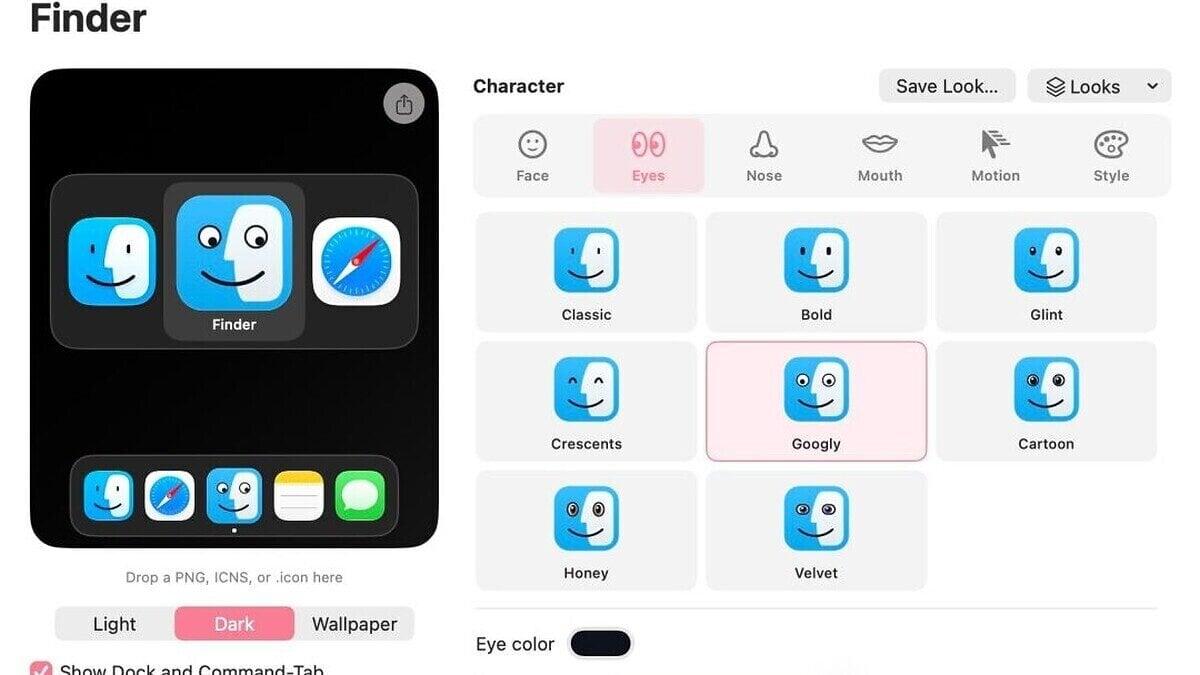
Mac users who want to see their AI usage can now display it on app icons with IconSwapper, a new utility from designer Michael Flarup. The app can show live usage and reset times for ChatGPT, Claude and Cursor.
IconSwapper costs $19.00 as a launch promotion. Its website says the one-time purchase will later cost $29.
After installing the utility, users choose an application and create a live icon that responds to it. The display offers an alternative to checking usage through an account or a software harness.
Icon changes also appear in the app switcher, giving users another way to see them when the Dock is crowded.
Icons can react to activity
IconSwapper supports live icons for built-in Mac apps including Messages, Mail, Safari, Finder and Music, as well as Chrome and Spotify. Some configurations are designed for visual effects rather than usage tracking.
Safari’s compass can respond to page loads and downloads. Finder’s icon can be configured so its eyes follow the cursor.
Users can also make light move across a gold icon when they move their cursor over it. Another option animates an app’s icon while the app is thinking.
Beyond live displays, IconSwapper has built-in controls for changing an icon’s appearance, design and shading. It includes a library of ready-made alternatives, and users can upload icons of their own.
Flarup’s workaround draws on icons
Flarup, who runs a design studio in Copenhagen, developed a way to draw directly on icons rather than replace them. The approach works around macOS limits: the system does not officially support theming and protects its system icons.
His rendering system processes icon artwork in real time using custom Metal shaders, which control visual effects.
“The breakthrough was figuring out how to send the Dock a bitmap for another running app and have it draw that frame itself,” Flarup said.
Flarup said he worked to keep the artwork aligned as macOS moved icons, including when the Dock magnifies them and when users switch apps with Command-Tab.
He has made his own Mac icons since the early 2000s and wrote a book about app icons that celebrates designers’ work.
 Take the quizWhat Kind of Holiday Spender Are You? Take the Black Friday QuizStart →





 Lifestyle · Food & HealthNormal Blood Pressure Chart by Age: Healthy Ranges Explained
 Lifestyle · Food & HealthWhat Is Raynaud’s Syndrome? Why Fingers Turn White in the Cold
 Lifestyle · Food & Health4 Ways Walking After Meals Helps Your Body, Doctors Say
 Lifestyle · Food & Health4 Reasons to Eat Oatmeal, According to Nutrition Experts